



Keygeek
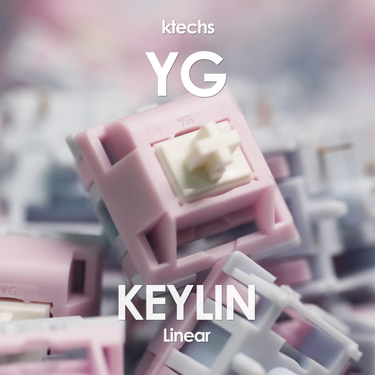
Keygeek Keylin V2 Linear Switches
products.product.pickup_availability.unavailable
Description
The Keygeek Keylin is due for an upgrade. The V2 takes everything that made the original Keylin popular and pushes it further, delivering a smoother feel and a richer acoustic profile. With updated materials and refined tooling, it offers a satisfying combination of creamy keystrokes, deep sound, and effortless consistency.
At the heart of the switch is a U6 UPE stem paired with a PA12 bottom housing, creating a soft, full-feeling bottom-out with a pronounced thock. The PA66 top housing complements the design with a smooth and stable press, giving each keystroke a clean, fluid motion.
For builds where both sound and lighting matter, the Keylin V2 also features an integrated light diffuser in the top housing to help spread RGB illumination more evenly. Whether you're chasing a deep-sounding custom build or want your RGB to shine through, the Keylin V2 is a versatile linear switch with plenty of character.
Specifications
Switch Disclaimers
Returns and faults
Switches can't be returned or refunded for a change of mind. If a switch isn't working out of the box, let us know, and we'll test it and replace it if it's faulty.
How a switch feels, such as being scratchy, is a matter of preference and not a fault, it isn't grounds for a refund or exchange.
Before you buy
Please check your keyboard before you buy, as we can't take back switches that don't fit or work with it:
- Your PCB needs to be hot-swap or for soldering.
- Standard MX-style switches only work on standard PCBs, and optical switches only on optical PCBs.
- Magnetic (Hall effect) switches only work on Hall effect PCBs.
- Outemu hot-swap sockets are smaller than standard ones and won't take standard switch pins.
If unsure, please reach out to us or the keyboard manufacturer/ vendor that you have purchased the PCB/ keyboard from.
Switches are sold in packs, and the price shown is for the whole pack. Each listing says how many switches are in its pack. We recommend buying a few extra in case some are lost to modding.
Modifying switches
Modifying a switch, such as lubing, filming, clipping its pins or changing its spring, voids its warranty.
If your keyboard takes 3-pin switches, you may clip the two plastic side pins off 5-pin switches with flush cutters. Test the switches first: clipping is a modification and voids the warranty.
What's normal
Switch pins can bend in transit. A bent pin isn't a defect: straighten it gently with tweezers before fitting the switch, pressing a bent pin into a hot-swap socket can damage the socket. If you're unsure, reach out to us and we'll help.
Plastics can show small cosmetic marks, such as flow lines, weld lines, sink marks and flashing. These are not defects.
Fees, cancellation windows and reporting times are in our Refund Policy.


